
Trying to sign up on international platforms and getting blocked because your Nigerian number doesn’t work is a common issue. Many websites require foreign numbers for verification before you can receive an OTP or complete registration.
This is why many people look for an Ireland virtual number to receive SMS online and complete verification. In this guide, you’ll learn how it works, how to get one, how to use free options, and a more reliable alternative. Let’s get into it.
What is an Ireland virtual number?
An Ireland virtual number is a phone number from Ireland that works online without a physical SIM card.
Instead of using a phone line, SMS messages are delivered to an online platform or dashboard.
These numbers are mainly used for OTP verification and account creation.
You can use an Ireland virtual number for:
- OTP verification on apps and websites
- Creating accounts that require Irish numbers
- Using an Ireland virtual number for WhatsApp
- Accessing platforms that restrict Nigerian numbers
Why people use an Ireland virtual number
People use Ireland virtual numbers for specific functional reasons related to online access and verification.
1. Platform restrictions
Many international platforms do not accept Nigerian numbers during signup. Users switch to an Ireland virtual number for verification to complete registration successfully.
2. Online work and freelancing
Freelancers and remote workers often need multiple accounts for different platforms. A virtual number helps manage these accounts without mixing personal numbers.
3. Privacy protection
Some users prefer not to use their personal number across multiple websites to avoid spam or unwanted messages.
How to receive SMS online to Ireland virtual number (free method)
1. Visit a free SMS website
Open a platform that provides public virtual numbers. These websites allow users to receive SMS online without registration.
2. Select Ireland
Choose Ireland from the list of available countries. This will display a list of active public numbers.
3. Choose a number
Pick one of the available Ireland numbers. These numbers are shared and may already be used by other users.
4. Use the number for verification
Copy the number and enter it on the platform you want to sign up for (WhatsApp, Telegram, or any website requiring OTP verification).
5. Check inbox for OTP
Return to the SMS website and refresh the inbox. If the number is accepted, the OTP will appear there.
Platforms that offer free Ireland virtual numbers
These are commonly used platforms:
- Receive SMS Online
- SMS24
- Receive-SMS.cc
- FreePhoneNum
These platforms provide public Ireland numbers that can be used instantly.
However, these numbers are shared across multiple users, which affects reliability.
Common problems with free Ireland virtual numbers
1. Shared numbers
Most free Ireland virtual numbers are shared between multiple users. This means someone may already be using the same number for verification, which can cause conflicts or block the OTP request.
2. OTP delivery failure
Some platforms detect and block public virtual numbers. In this case, the OTP will never be delivered even if the number is active.
3. Privacy issues
Since inboxes are public, anyone using the same number can see incoming messages, including verification codes.
4. Expired or delayed OTPs
OTP codes are time-sensitive. Even when messages arrive, delays can cause the code to expire before it is used.
A better option: use a reliable Ireland virtual number
Free numbers are useful for quick testing, but they are not reliable for consistent use.
A better option is a private virtual number from a trusted provider like Nexar.
Unlike free platforms, Nexar assigns dedicated numbers that are not shared with other users.
This improves:
- OTP delivery speed
- Success rate of verification
- Privacy and account security
How to receive SMS using Nexar
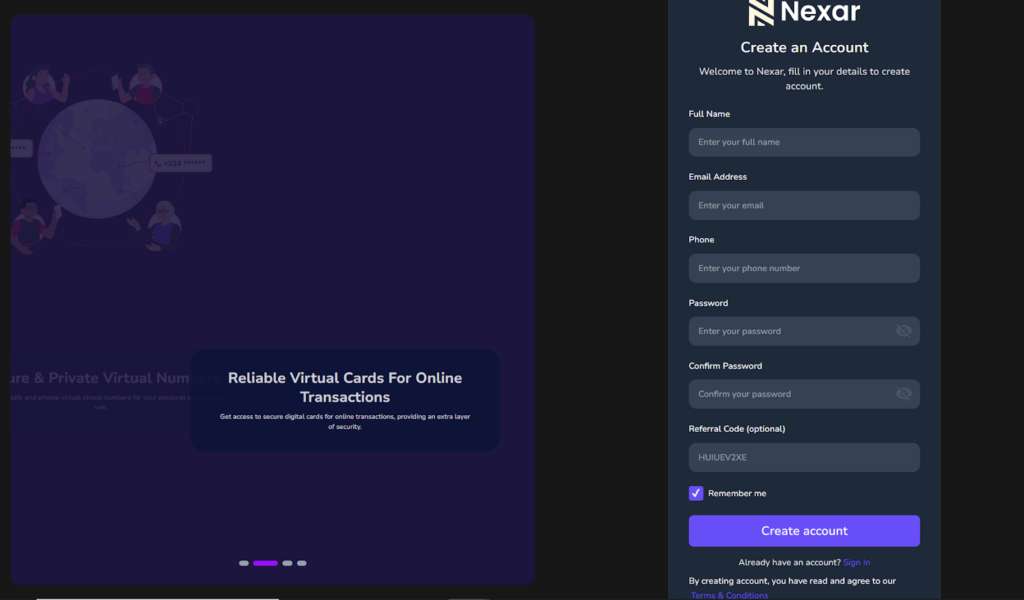
1. Create an account
Sign up on Nexar using your email or phone number and log into your dashboard.
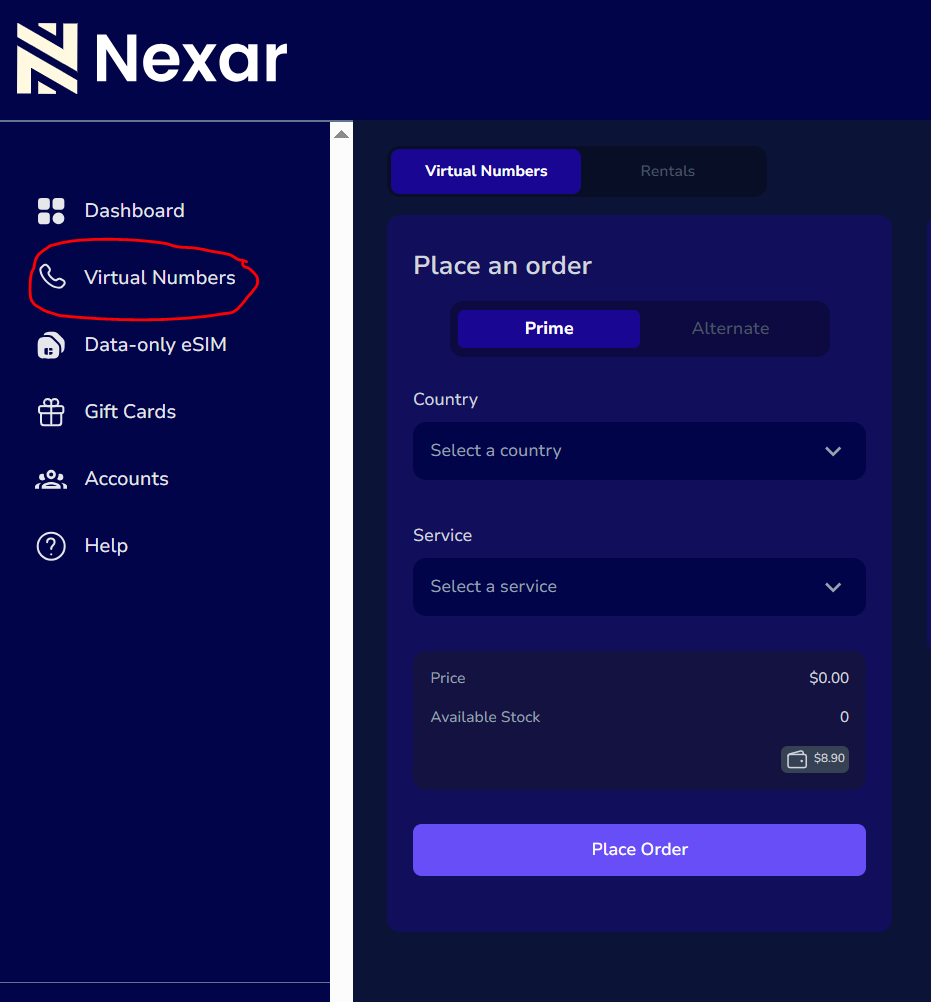
2. Go to virtual numbers
Navigate to the virtual numbers section where all available countries are listed.
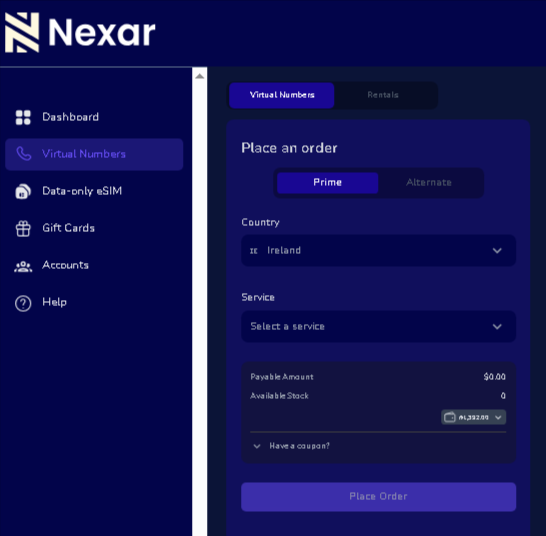
3. Select Ireland
Choose Ireland from the list of countries.
4. Choose your service
Select the platform you want to verify so the system activates the correct routing.
5. Receive OTP
Once active, any SMS sent to your number appears directly on your dashboard instantly.
Can you use an Ireland virtual number for WhatsApp?
Yes. An Ireland virtual number for WhatsApp can be used to create and verify WhatsApp accounts as long as it supports SMS reception.
You enter the number, receive the OTP, and complete registration.
This is commonly used for business accounts or separating personal communication.
Frequently Asked Questions (FAQs)
1. Is it safe to use an Ireland virtual number?
Free numbers are public and not secure. Private virtual numbers are safer for account verification.
2. Can I always receive OTP with free Ireland numbers?
No. Some platforms block public numbers, so OTP delivery is not guaranteed.
3. Do I need a VPN to receive SMS online?
No. SMS reception works directly through the virtual number platform.
4. Can I reuse an Ireland virtual number?
Free numbers are shared and not reusable. Private numbers offer consistent access.
Final Thoughts
Receiving SMS online using an Ireland virtual number can work for quick verification, but free platforms are often unreliable due to shared access and OTP delivery issues.
If you need stability and faster verification, a private virtual number is a better option.
Head over to Nexarhq.com to get started.