
Music streaming is part of everyday life in Nigeria. Whether you are working, commuting, studying, or relaxing at home, Apple Music gives you access to millions of songs, curated playlists, and global charts.
However, many users struggle with Apple Music payment issues when trying to subscribe or renew. Declined cards, failed renewals, and billing errors have become common frustrations.
If you are trying to activate or renew your Apple Music subscription Nigeria plan without stress, this guide explains why payments fail and the most reliable ways to fix it.
Why Apple Music Payments Fail in Nigeria
Before solving the problem, it is important to understand why it happens.
Most Nigerian debit cards are naira denominated and subject to international transaction restrictions. Since Apple processes many subscriptions through international payment gateways, local cards may be declined automatically.
Other common causes of Apple Music payment issues include:
• Foreign exchange limits placed by banks
• Billing address mismatch
• Expired or insufficient card balance
• Incorrect Apple ID region settings
• Recurring charge failures during renewal
This does not mean Apple Music does not work in Nigeria. It simply means the payment method must be set up correctly for your Apple Music subscription Nigeria to activate successfully.
Does Apple Music Work in Nigeria?
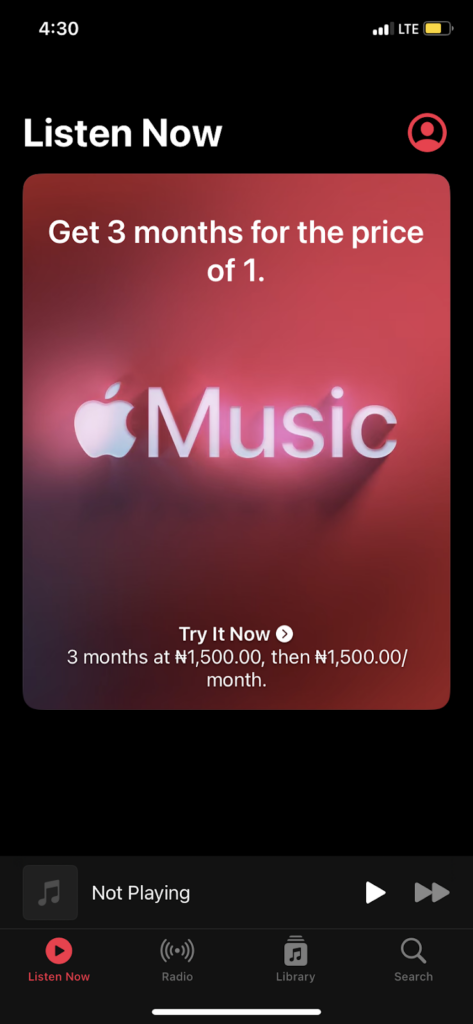
Yes, Apple Music works fully in Nigeria.
You can stream, download, and explore both Nigerian and international artists without restriction. The issue most users face is not access, but how to pay Apple Music in Nigeria without repeated card declines.
The good news is that there are multiple working solutions available.
Method 1: Use a Virtual Dollar Card
One of the most reliable ways to handle Apple Music payment issues is by using a virtual dollar card.
A virtual dollar card allows you to make international payments smoothly since it operates in USD. Because Apple often charges subscriptions through international processors, this method reduces the chances of declined payments.
How to set it up:
- Create a virtual dollar card from a trusted fintech provider.
- Fund the card in naira which converts to dollars.
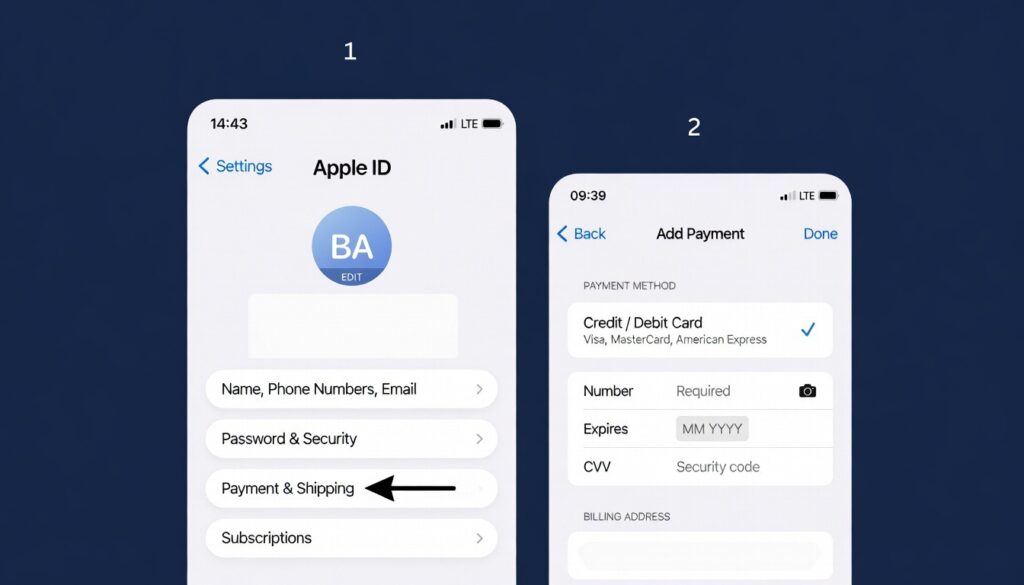
- Open Settings on your iPhone.
- Tap your name at the top.
- Select Payment and Shipping.
- Tap Add Payment Method.
- Enter your virtual card details.
- Save and confirm.
Once added, return to Apple Music and activate your Apple Music subscription Nigeria plan without interruption.
This method is especially useful if you want stable auto renewal without recurring Apple Music payment issues.
Method 2: Use MTN Mobile Billing
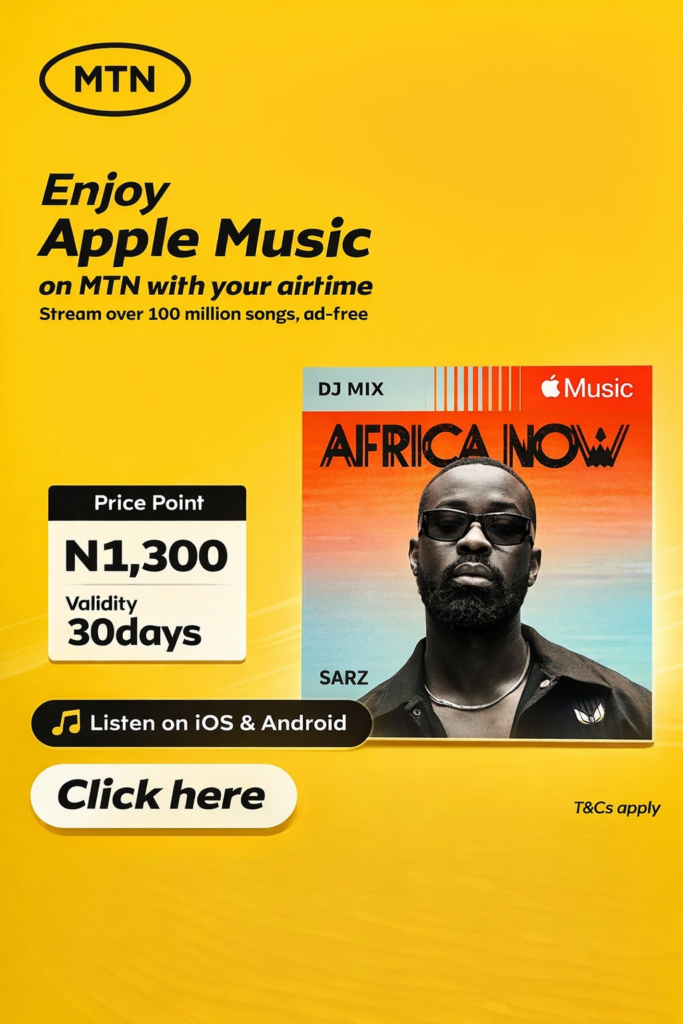
Another practical way to pay Apple Music in Nigeria is through MTN mobile billing.
Instead of linking a debit card, your subscription fee is deducted directly from your airtime balance.
How to subscribe using MTN:
• Dial *447# on your MTN line
• Follow the prompts to select Apple Music
• Confirm your subscription
You can also watch this quick guide for reference:
This option works well for users who want a simple setup for their Apple Music subscription Nigeria plan without dealing with bank restrictions.
However, ensure your airtime balance is always sufficient to avoid renewal interruptions.
Method 3: Redeem an Apple Gift Card
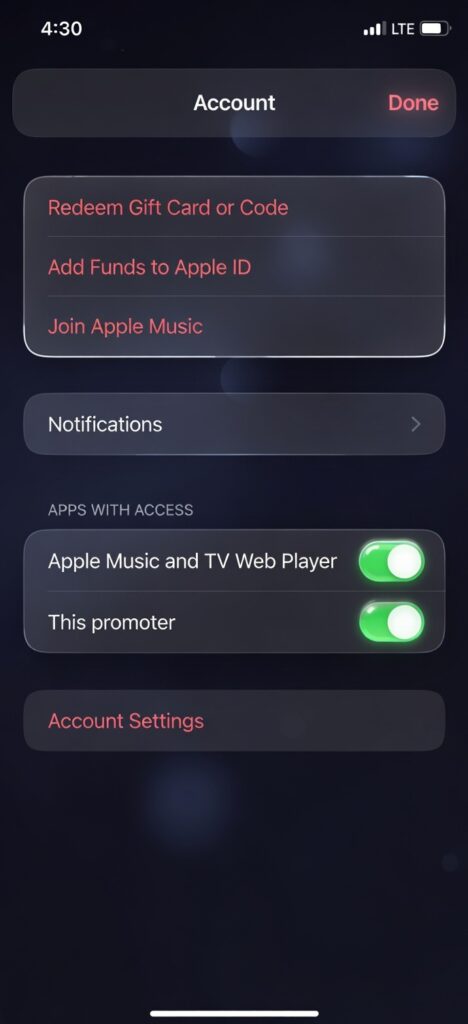
Apple Gift Cards are another reliable alternative.
When you redeem a gift card, the balance is added to your Apple ID. Apple then deducts your subscription fee directly from that balance.
Steps to redeem:
- Open the App Store.
- Tap your profile icon.
- Select Redeem Gift Card or Code.
- Enter the code.
After redeeming, make sure your Apple ID balance is set as your primary payment method. This prevents Apple Music payment issues caused by failed card authorizations.
Gift cards are ideal if you want short term flexibility for your Apple Music subscription Nigeria plan.
Method 4: Update Your Apple ID Payment Method Properly
Sometimes the problem is not the card itself, but incorrect setup.
To update your payment details correctly, follow Apple’s official guider here:
Quick steps on iPhone:
- Open Settings.
- Tap your name.
- Tap Payment and Shipping.
- Select Add Payment Method.
- Enter correct billing information.
- Tap Done.
Make sure your billing address matches your card information exactly. Small inconsistencies can trigger Apple Music payment issues.
Apple Music Subscription Plans in Nigeria
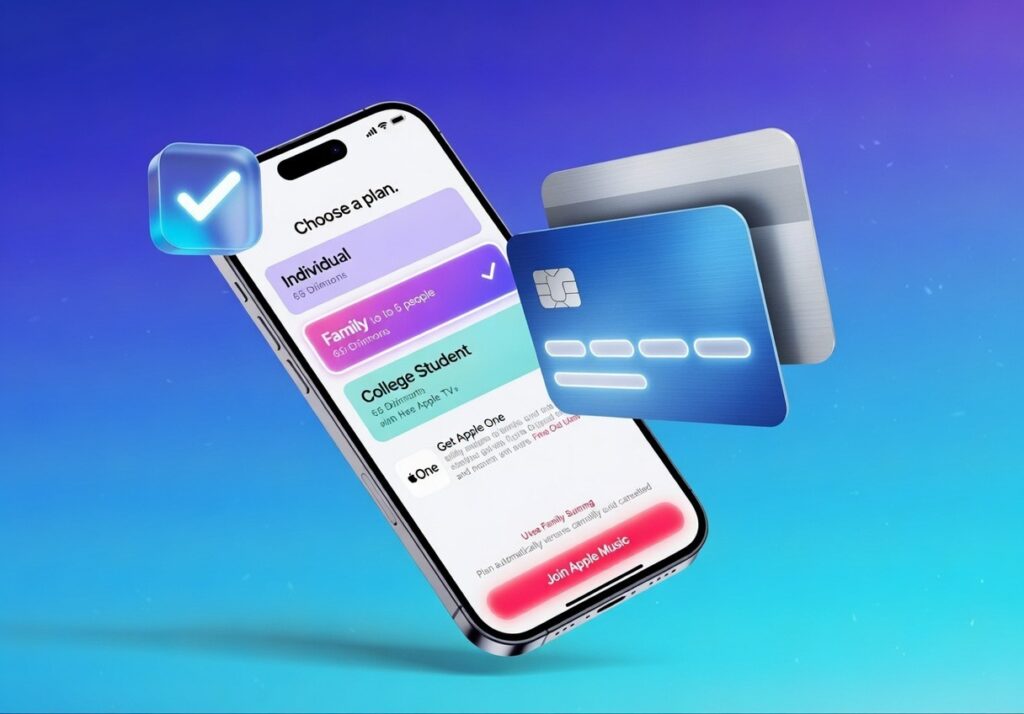
The Apple Music subscription Nigeria plans include:
- Individual Plan
- Student Plan
- Family Plan
Each plan gives full access to Apple Music’s catalog, downloads, and offline listening.
Pricing may vary depending on billing method and region settings. Always ensure your Apple ID country is correctly set to Nigeria if you prefer local billing.
How to Avoid Future Apple Music Payment Issues
To keep your Apple Music subscription Nigeria running smoothly:
• Ensure sufficient balance before renewal
• Use a stable payment method
• Double check your billing address
• Avoid expired cards
• Monitor renewal dates
If you frequently experience declined payments, switching to a virtual dollar card or mobile billing is usually the most stable long term solution.
Frequently Asked Questions
Can I use a Nigerian debit card for Apple Music?
Some cards may work, but many are restricted for international payments. This is why users experience Apple Music payment issues during checkout or renewal.
What is the easiest way to pay Apple Music in Nigeria?
Mobile billing through MTN or using a virtual dollar card are currently the simplest and most reliable methods.
Why does my Apple Music keep asking me to update payment?
This usually happens when a recurring charge fails. Updating your payment method resolves the issue and restores your Apple Music subscription Nigeria access.
Conclusion
Subscribing should not be complicated.
Although local banking restrictions have caused frequent Apple Music payment issues, there are reliable alternatives that work smoothly.
Whether you choose a virtual dollar card, MTN billing, or Apple Gift Cards, you can activate and maintain your Apple Music subscription Nigeria without stress.
Once your payment method is properly set, you can stream, download, and enjoy your favorite music without interruption.